AI Agents Using Python for Business: The Complete Practical Guide
Artificial intelligence has evolved past simple text prompts and static chatbots. Today, companies want systems that can think, plan, execute tasks, and solve problems independently. Enter AI agents using Python for business—intelligent software loops designed to achieve specific goals by leveraging large language models (LLMs), memory modules, and external tools.
At CloudData Technologies, we see firsthand how integrating smart automation into daily operations helps teams redirect their focus toward high-value strategy and creative growth. If you want to stay ahead of the curve, understanding how to build and deploy these autonomous systems using Python remains the absolute gold standard in modern software architecture.
What Are Business AI Agents and Why Python?
Traditional software follows rigid rules: if this, then that. Conversely, an AI agent acts as a goal-seeking entity. You give it an objective, and it figures out the necessary steps to reach that outcome without requiring constant human intervention.
For instance, instead of writing code for every possible customer service query, you can deploy an agent that reads incoming emails, queries your inventory database, drafts a personalized response, and updates your CRM system automatically.
Why use Python for this?
Rich Ecosystem: Python offers extensive libraries for data manipulation, machine learning, and API integrations.
Flexibility: Its dynamic typing and clean syntax allow developers to prototype multi-step workflows rapidly.
Framework Support: Leading agent orchestration platforms like LangChain, CrewAI, and Pydantic AI are built natively for Python.
Furthermore, Python’s massive global community means that whenever you run into a bug or a performance bottleneck, chances are another developer has already solved it and shared the solution online.
Core Components of an Intelligent Business Agent
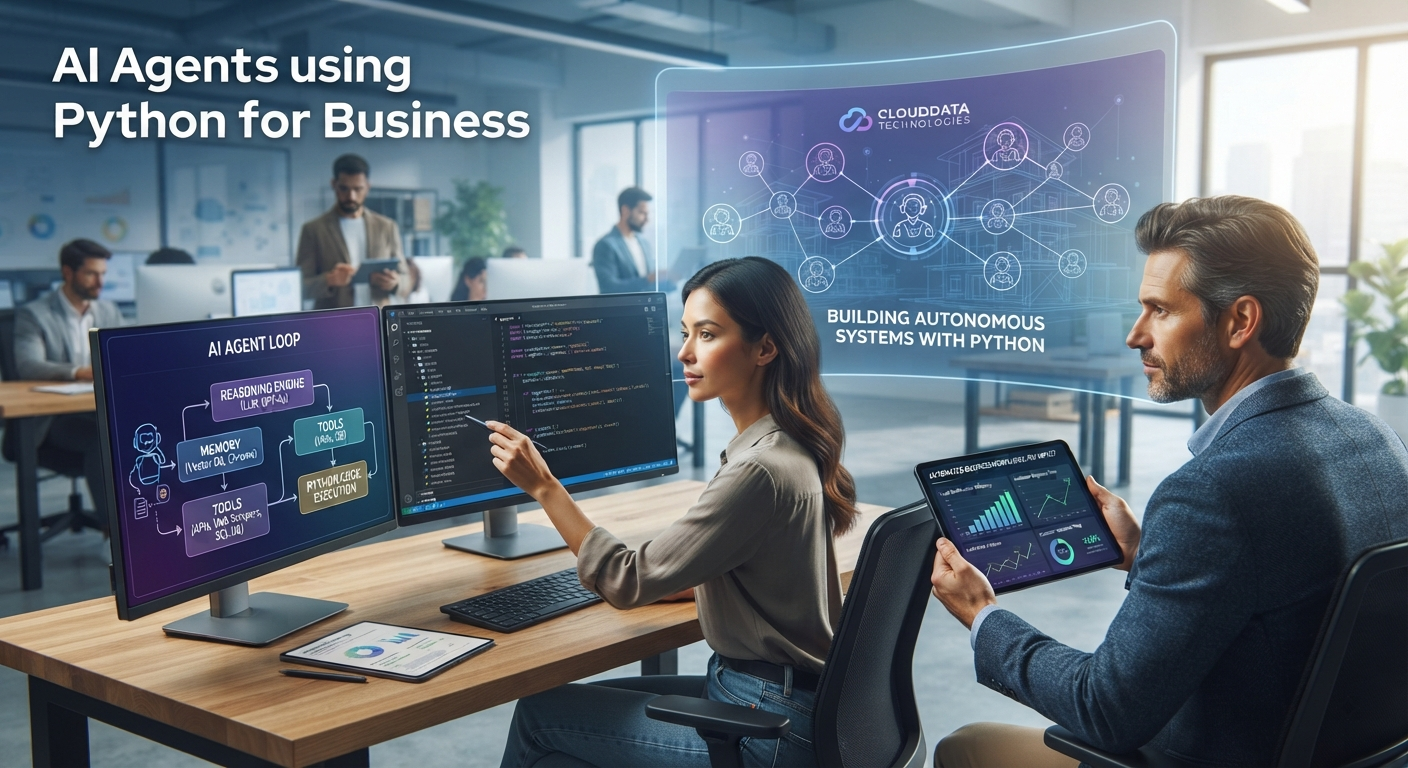
Before writing code, we must look at what makes an agent tick. Every functional business agent relies on four main pillars, often referred to by the acronym GAME (Goals, Actions, Memory, Environment):
The Reasoning Engine (LLM): This acts as the brain. Models interpret human instructions, analyze unstructured text, and decide what action to take next.
Tools and Actions: Agents do not just talk; they do. By connecting Python functions to APIs, web scrapers, or SQL databases, the agent can fetch live data or modify external files.
Memory Systems: Short-term memory tracks the current workflow state, while long-term memory (often stored in vector databases) allows agents to recall past customer interactions or company documents.
The Agent Loop: This is the core execution cycle. The agent thinks about the user request, executes a tool, observes the result, and repeats the process until the task is successfully completed.
Build AI Agents Using Python for Business Automation
Setting Up Your Python Development Environment
To start building, you need a clean, isolated workspace. Setting up a virtual environment prevents package conflicts across different machine learning projects.
First, open your terminal and run the following commands:
Once installed, you can configure your LLM provider API keys securely within your environment variables. This setup allows your Python script to communicate safely with cloud models without hardcoding sensitive credentials. Always secure your API keys using .env files and python-dotenv to prevent accidental exposure in your source code repositories.
Orchestrating Workflows with Popular Frameworks
Building production-ready agents requires robust orchestration frameworks. Instead of writing complex glue code from scratch, developers use specialized tools to manage state and tool execution.
LangChain and LangGraph
LangChain simplifies LLM integration, while LangGraph lets you build stateful, multi-actor applications. In a business setting, you can use these frameworks to map out complex workflows—such as a multi-step financial auditing process where one node gathers data, another validates numbers, and a final node generates an executive summary.
Pydantic AI
For applications requiring strict data validation, Pydantic AI brings type-safety to agent outputs. Instead of receiving unpredictable string responses from an LLM, your Python application receives structured, validated objects that integrate seamlessly into backend databases.
Writing Your First Basic Agent in Python
Let us look at a simple code example using Python to demonstrate how an agent interacts with tools. We can define a custom tool to check order statuses and let the model decide when to invoke it.
This simple pattern forms the baseline for much larger, enterprise-grade architectures.
Advanced Multi-Agent Collaboration Patterns
As business processes become more sophisticated, a single agent often struggles to manage everything efficiently. This is where multi-agent systems come into play. By dividing labor among specialized agents, you can replicate an entire corporate department inside your codebase.
The Researcher Agent: Scours the web, gathers competitor pricing, or extracts key insights from customer feedback reports.
The Writer Agent: Takes the raw data compiled by the researcher and drafts email campaigns, social media posts, or internal memos.
The Reviewer Agent: Audits the text for compliance, tone consistency, and factual accuracy before final publishing.
Managing these roles through Python orchestration frameworks allows businesses to scale output without linearly scaling headcount.
Real-World Business Use Cases
Integrating Python-driven AI agents can revolutionize multiple departments within your organization:
Automated Lead Qualification: Agents can scour LinkedIn or incoming contact forms, enrich company data using web search tools, score the leads based on your ideal customer profile, and route hot prospects directly to your sales team’s Slack channels.
Smart Customer Support: Beyond standard FAQs, advanced support agents can look up order statuses in real time, process refunds through Stripe APIs, and update shipping details autonomously.
Market Research and Competitive Analysis: You can deploy scripts that monitor competitor pricing updates, summarize industry news articles, and compile weekly strategic briefs for your marketing department.
Internal HR and Knowledge Management: Employees can query an internal agent trained on company handbooks and policy documents to get instant, accurate answers regarding benefits, leave requests, or technical documentation.
Integrating Vector Databases for Enterprise Memory
An agent without memory is like an employee with total amnesia every morning. To build truly smart business applications, you must connect your Python agents to vector databases like Pinecone, Chroma, or FAISS.
By converting company documentation, product manuals, and historical client chats into numerical embeddings, your Python agent can perform semantic searches instantly. When a customer asks a complex question, the agent queries the vector store, retrieves the exact relevant paragraph, and formulates an accurate, context-aware answer.
Security, Compliance, and Data Governance
When deploying autonomous software into enterprise workflows, data security is paramount. Python developers must implement robust safeguards to protect sensitive corporate assets and customer privacy.
Role-Based Access Control (RBAC): Ensure that individual tools connected to your agent authenticate user permissions before fetching or modifying records.
Data Masking and Anonymization: Scrub personally identifiable information (PII) before passing raw text logs into cloud-hosted model training loops.
Audit Logging: Maintain clear execution logs of every tool call and model decision so your compliance team can trace operational behavior step-by-step.
Fine-Tuning Open-Source Models with Python
While proprietary cloud models offer incredible zero-shot performance, many organizations prefer running open-source alternatives like Llama or Mistral locally or on private cloud infrastructure.
Using Python libraries like Hugging Face Transformers, PEFT, and TRL, your engineering team can fine-tune smaller open-source models on domain-specific company data. This approach drastically reduces inference costs, improves domain accuracy, and ensures that sensitive business logic never leaves your private network.
Best Practices for Deployment and Monitoring
Deploying AI agents into live business environments requires careful oversight. Because LLMs can occasionally hallucinate or drift off task, you must implement strict safety boundaries.
Define Clear System Prompts: Always outline the agent’s role, behavioral boundaries, and tone within the system prompt. Tell it precisely what it cannot do.
Test Tools Independently: Before letting an agent execute database writes or send emails, test each individual Python tool in isolation to ensure error handling works correctly.
Track and Monitor: Use tracing platforms like LangSmith or Weave to monitor prompt performance, inspect tool calls, and catch bottlenecks before they impact your customers.
Implement Human-in-the-Loop Triggers: For critical operations—such as sending financial transfers or issuing official legal communications—always configure the agent to pause and request human approval before executing the final action.
Overcoming Common Implementation Challenges
While building AI agents is exciting, developers frequently encounter specific hurdles during production rollouts:
Infinite Loops: Sometimes an agent gets stuck repeating the same tool call because it misunderstands the output. Setting strict maximum iteration limits (max_iterations) in your agent configuration prevents runaway API costs.
Context Window Limitations: Long conversations can exceed model token limits. Implementing sliding-window memory or summarizing past interactions helps keep payloads manageable.
Latency Issues: Multi-step reasoning takes time. Optimizing prompts and caching frequent queries ensures your users do not experience frustrating wait times.
Cost Management: Making multiple recursive LLM calls can get expensive quickly. Caching frequent requests and using smaller models for straightforward routing tasks helps keep overhead under control.
The Future of Python and AI Automation
As artificial intelligence models become faster and more cost-effective, the role of Python developers will shift from writing low-level procedural code to orchestrating intelligent systems. Companies that adopt these workflows today will establish a massive competitive advantage over traditional competitors.
Conclusion
Embracing AI agents using Python for business opens up unprecedented levels of operational efficiency. By combining the natural language capabilities of modern large language models with Python’s versatile execution environment, you can automate complex, multi-step workflows that once required hours of manual labor. Start small by prototyping a single-purpose agent, test its reliability, and gradually scale up your automated ecosystem to drive your business forward.